What is Meta Business Manager and How to Use It?
What Does Meta Business Manager Actually Do?
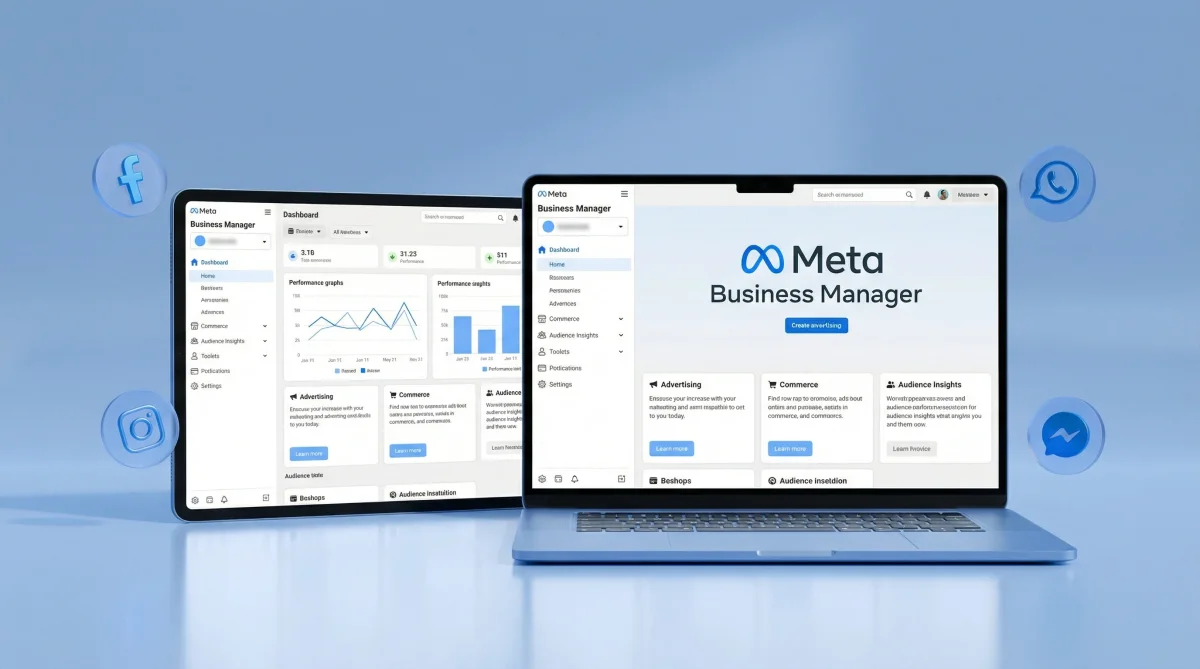
If you're managing more than one Facebook or Instagram account, it's hard to imagine life without Meta Business Manager. This tool brings all of Meta's commercial features under one roof. Ad accounts, pages, pixels, catalogs... You manage everything from here.
So why not just use your personal account? Because when you run ads through your personal profile, that account stays tied to your identity. When you leave the company or your account gets shut down, everything goes up in smoke. The whole Facebook Business Manager concept was designed to solve exactly this problem.
Let me be direct: Even small businesses should make this switch. If you're thinking "I only run ads once a month," setting up professional infrastructure now will save you massive headaches later.
Why You Actually Need Meta Business Manager
Picture this scenario. You've got three different clients. Each one has a Facebook page, an Instagram account, and an ad account. Try managing all that from your personal profile. What happens? Chaos.
With Meta Business Manager:
- You can keep each client's assets completely separate
- You can give team members limited permissions (maybe someone only sees reports but can't create ads)
- You can set up billing under the company name
- You can track pixel and conversion data from one central place
For agencies especially, this structure is a lifesaver. Account security and permission management are often just as important as performance itself—something that gets overlooked until it becomes a crisis.
Is the Account Setup Process Really That Simple?
Getting Started
You go to business.facebook.com, click "Create Account," and things get rolling. Company name, email, basic info... So far so good. But then things can get a bit tangled.
Here's where most users get stuck: They don't know how to connect their existing pages or ad accounts to Business Manager. When you click "Add Page," three options appear. Request access to a page, create a new page, or add an existing page. Which one you choose depends on your situation—but my advice is this: if you own the page, add it directly. If someone else owns it, send a request.
Things to Watch Out For
We see a lot of people skipping two-factor authentication. Meta has gotten very strict about security. If you don't have two-factor enabled, you can't access certain features. Your ad account might even get suspended.

Then there's business verification. Meta sometimes asks you to prove your company actually exists. You might need a tax certificate, phone bill, or bank statement. This process can take a few days, so be patient.
Permission Management: Where Most Mistakes Happen
Here's an observation from practice: The vast majority of our clients set up permissions wrong. Either they give everyone full access (dangerous) or they don't give anyone enough access (blocks workflow).
Meta Business Manager has two main permission levels: Employee access and admin access. Admins can do everything. Employees can only do tasks assigned to them.
I think the ideal setup looks like this: The business owner and one IT person should be admins. The marketing team gets employee status with access only to the pages and ad accounts they need. If you're working with an agency, give them limited employee access too.
Something we always tell clients: Giving access is easy, taking it back is hard. Especially when business relationships end—don't forget to revoke access for former employees or agencies.
Pixel and Conversion Tracking: Where Meta Business Manager Really Shines
Running ads is one thing. Measuring whether those ads actually work is something else entirely. Meta Pixel is a piece of code that tracks user behavior on your website. It measures actions like adding to cart, purchasing, and filling out forms.
You create this pixel through Meta Business Manager. Then you add it to your website. The nice part is you can create multiple pixels. Different pixels for different websites.
"What gets measured gets managed."- Peter Drucker, Wikipedia
The Conversions API has also become important in recent years. Browser-based tracking (cookies) is getting harder and harder. Between iOS updates and ad blockers, server-side tracking has become almost mandatory. Modern website standards require it.
Common Mistakes in Ad Account Management
I see this constantly: People try to do everything with a single ad account. Different brands, different countries, different currencies... All in the same account. Then reporting gets messy, budget tracking becomes a nightmare.
Facebook Business Manager lets you create multiple ad accounts. Use this feature. Open separate accounts for each brand, even for each country operation. It seems tedious at first but makes your life easier in the long run.
Another mistake: Linking the payment method to just one person's card. When that person leaves the company or the card gets canceled, your ads stop running. Add a company card or multiple payment methods.
Spending Limits
In Meta Business Manager, you can set spending limits at both the account level and campaign level. Always do this. A misconfigured campaign can burn through your budget overnight. When you set limits, at least you're moving forward in a controlled way.
What to Watch When Working With an Agency
When giving your agency Business Manager access, you need to add them as a "Partner." This way, the agency can access your assets through their own Business Manager. Use this method instead of adding them directly as an employee.
Why? Because when you add them as a partner, the agency handles their own user management. You don't need to add agency employees one by one. If you're using an agency for social media management, this structure creates a much cleaner workflow.
Can You Really Get By Without All This?
Actually, yes. If you're operating on a very small scale, working alone, only running occasional ads for your own business, you can manage from a personal account.
But ask yourself this: Do you want to grow? Do you want to build a team? Is managing multiple platforms or accounts on your radar? If you said yes to any of these, setting up Meta Business Manager is something you should do today.
The longer you wait, the harder the transition gets. Existing ad history, pixel data, custom audiences... Sometimes transferring these later becomes impossible. So build the right infrastructure from the start.
One final note: Meta constantly updates this tool. In 2026, the interface has changed quite a bit, and some features have moved around. I'd recommend following the official Meta Business Help Center to stay current.
![How Should an Attention-Grabbing Ad Structure Be? [2026 Guide]](/img/400/uploads/media/2026/01/4c930a55a76b4a4a0f9b72bdb1be6690.webp)