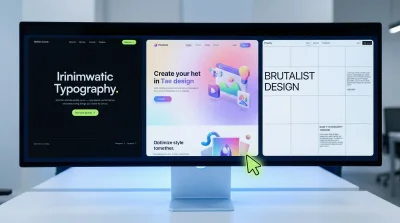
What is Web Design? Simple Explanation in 5 Minutes
What Is Web Design and Why Does Everyone Keep Talking About It?
Let me start here: asking what is web design is a bit like asking "what's a shop window?" Sure, I could give you the textbook definition—colors, typography, images, user experience all bundled together. But that misses the point entirely. Web design is your business's first impression in the digital world. And honestly? I think that impression matters more now than your physical storefront ever did.
I've been watching this industry for years. One thing I can say with certainty: people make up their minds about a website within 3-4 seconds. Stay or leave? That's the real answer to what is web design. It's about winning or losing those few seconds.
Web Design vs. Coding: Are They the Same Thing?
No. And making this distinction matters.
Web design and coding get confused constantly. Clients usually say something like: "Build me a website." But what does that actually mean? Do you want the visual design, or the system running behind it?
What Does a Designer Do?
The designer decides how the site looks. Colors, button placement, text sizing, image positioning—these are all design decisions. Think of it like an architect drawing up blueprints.
What Does a Developer Do?
The developer brings those blueprints to life. Using languages like HTML, CSS, and JavaScript, they turn the design into a functioning website. Mozilla's web development guide offers excellent resources if you want to dig deeper into the technical side.
From what we've seen, on smaller projects one person often handles both roles. But on larger projects? These roles need to be separate. Otherwise, either the design suffers or the technical foundation does. Can't have it both ways.
How Does the Website Building Process Actually Work?
Let's pause here. Because when people hear building a website, they immediately think "install WordPress." You install it, pick a theme, add your content—done, right? I don't think so.
A proper website building process should look something like this:
- First, identify your target audience. Who are you speaking to? A 25-year-old college student or a 50-year-old executive?
- Conduct competitor analysis. What are other sites in your industry doing? What works, what doesn't?
- Then sketch out a wireframe—the skeleton. Where does each page sit? How will users navigate?
- Build the visual design on top of that skeleton
- Coding and testing come last
Here's a mistake we encounter constantly: people jump straight to design. Designing without strategy is like driving without a map. Sometimes you arrive. Mostly, you get lost.

A Few Observations About Local Web Design Markets
Something interesting has happened over the past few years. The industry used to be completely dominated by agencies in major metropolitan hubs. That's changing.
Smaller cities and regional markets have started producing boutique agencies that actually understand local business dynamics. This matters because every market has different digital needs. A law firm in Austin has different requirements than a tech startup in San Francisco. A restaurant in Portland needs something different from a manufacturing company in Cleveland.
I'll add this: businesses in certain regions tend toward more conservative design approaches. Less experimental, more trustworthy corporate aesthetics. That's not wrong—it's just a different choice that reflects their audience.
The Technical Side of "What Is Web Design?"
Alright, we've been conceptual enough. Let's get technical.
When you ask what is web design, several core components come up:
Responsive design: Your site needs to display properly on phones, tablets, and computers. It's 2025 and I still see sites that aren't mobile-friendly. Genuinely baffling.
UI (User Interface): Buttons, menus, forms—everything users click or tap.
UX (User Experience): The quality of time users spend on your site. Can they find what they're looking for? Are they getting frustrated?
W3C's accessibility standards are fundamental reading here. Designing for users with visual impairments isn't just ethical—it's becoming a legal requirement in many countries.
The Speed Problem
Why am I making this its own section? Because everyone obsesses over how a design looks and forgets about speed. If your site takes 5 seconds to load, it doesn't matter how beautiful it is. Nobody's going to see it. They're already gone.
What Makes a Web Design Actually Good?
Everyone says "minimal design." But does it actually work? Sometimes yes, sometimes no.
Minimalism on an e-commerce site can be dangerous. Users need to see products, compare options, add items to cart. An overly sparse design can make that harder. But on a lawyer's website? Minimalism builds trust.
Good design has some universal characteristics, in my view:
- Consistency: The same button should appear in the same place, same color, on every page
- Readability: Text should be easy to read. Avoid decorative fonts. I'm serious.
- Clear direction: Users should understand what they're supposed to do
What Is Web Design Going to Become?
AI tools have started entering the design process. Some people claim designers will become obsolete. I disagree.
AI can speed up repetitive tasks. But strategy, creativity, and understanding what a client actually needs—that's still human territory. We use these tools, but an experienced designer always makes the final call.
For anyone wanting to develop skills in web design and coding, resources covering UI/UX design fundamentals are a solid starting point. And mobile responsiveness deserves serious attention too.
Here's what I'll leave you with: asking what is web design seems simple, but the answer expands every year. Making a pretty website isn't enough anymore. It needs to be fast, accessible, mobile-friendly, SEO-optimized, and conversion-focused. Is that easy? Not remotely. But done right, it creates real business impact.
So—how many of these criteria does your current site actually meet?